Bundles are your best asset
Or why Unity's Resources system should never be used
Back in 2017, I was working in an indie game development studio. The team was small, but the project was quite ambitious – we were making a mobile MMORPG with AR features. At a certain point during development, we started running into weird issues. First, even though we were still in the early stages, the game’s build size was growing at an alarming rate. Eventually it reached 2.5 GB, which is quite a lot for a mobile app. Large app size is a huge disadvantage in the App Store/Google Play world, so making our ipa/apk smaller was crucial. Second, we had to run the game on an actual mobile device every time we wanted to test the AR features. As development progressed, build times kept getting longer, and since the builds themselves were growing in size, they also took longer to install. The game took at least 15 seconds to launch on top of that! All of this slowed us down significantly, and things kept getting worse as we added more content. And we were still early on, with so much more planned! When we started looking into what was causing these issues, we found the source rather quickly. As you’ve probably already guessed, every one of these problems came from our reliance on the Resources folder. We had various kinds of weapons with different animations, lots of armor sets made up of four parts each, and many other assets. Players could also pick from 6 fantasy races and 2 genders when creating a character. All this content had to be loaded and unloaded dynamically, so it made sense to put it into the Resources folder, right? Well, no. Boy, was that a bad decision.
Don’t use resources
Resources are bad. But don’t take it from me, let’s see what Unity’s official documentation has to say on this topic. After all, people working at Unity should know a thing or two about development with the Unity engine, right? Let’s take a look at the official Resources folder documentation page.

As you can see, our team had run into pretty much every issue mentioned on this page. Next, let’s take a look at the content management best practices article.
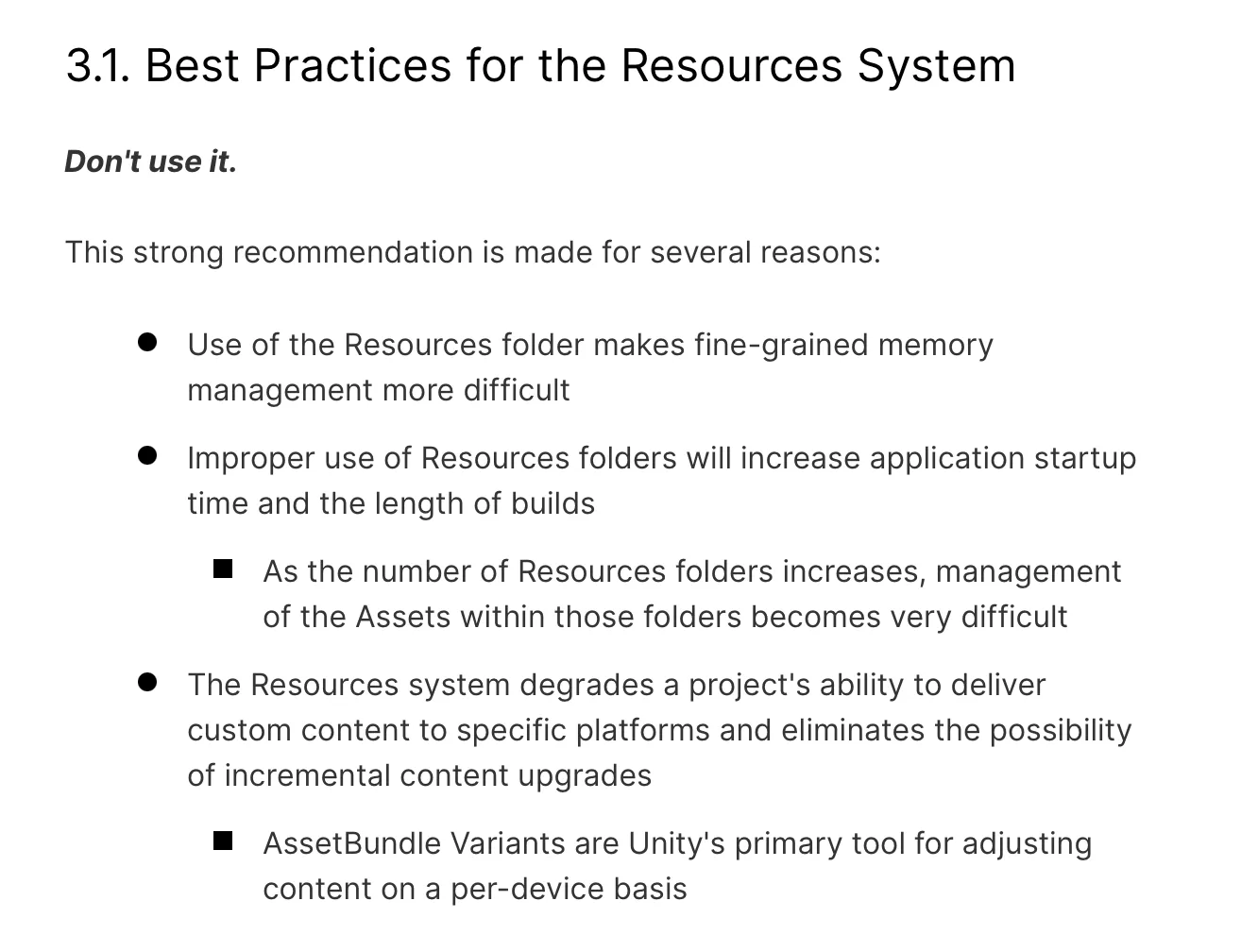
Ok, so Resources shouldn’t be used. But what exactly is the problem with how they work? Let’s take a quick look under the hood, starting with what happens at compile time. Unity goes through every asset inside the Resources folder, resolves all of the dependencies, and simply serializes them into a single file. What’s important is that Unity does this every time the app is built – there’s no build cache for resources. On the positive side, this means developers can do pretty much anything they want with the contents of the folder, moving files around and reorganizing them as they like without having to worry about updating the cache. The negative is that all of the dependencies get re-serialized on every new build, which in turn means that the more files there are inside the folder, the longer the builds take. But this isn’t all. As I mentioned before, everything gets serialized into a single file. Here’s what the contents of the compiled MacOS app look like – everything from the Resources folder ended up packaged in the resources.asset file.
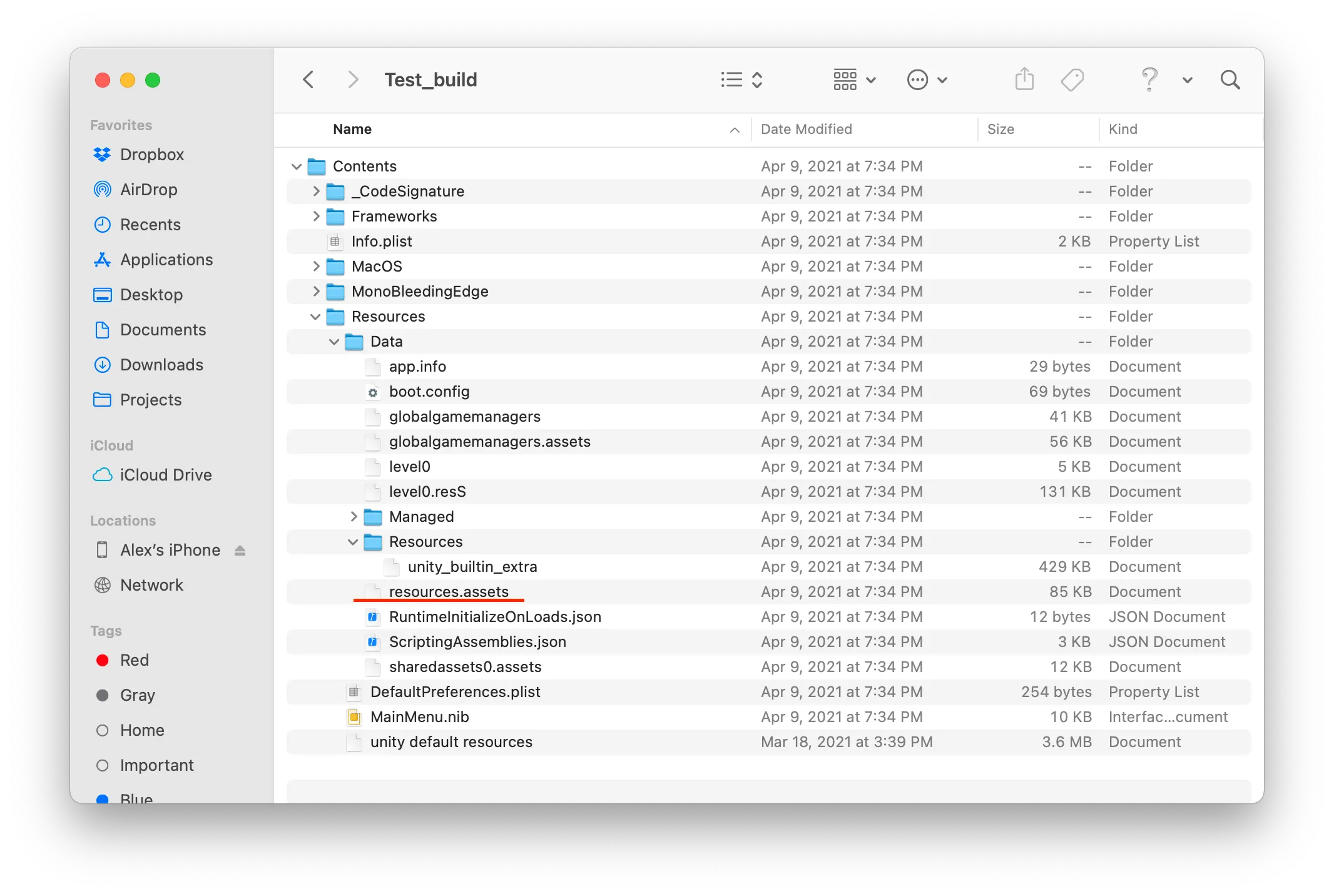
This has several implications. First, if you want to release a patch that updates anything inside Resources, you have to replace the entire resources package file! This is why the best practices page says that content that’s prone to patching shouldn’t be stored in resources. Unity also serializes all of the content simply as is, meaning it doesn’t compress anything that isn’t already compressed, and it doesn’t encrypt the data either. Here’s what the resources.asset file looks like in a text editor.
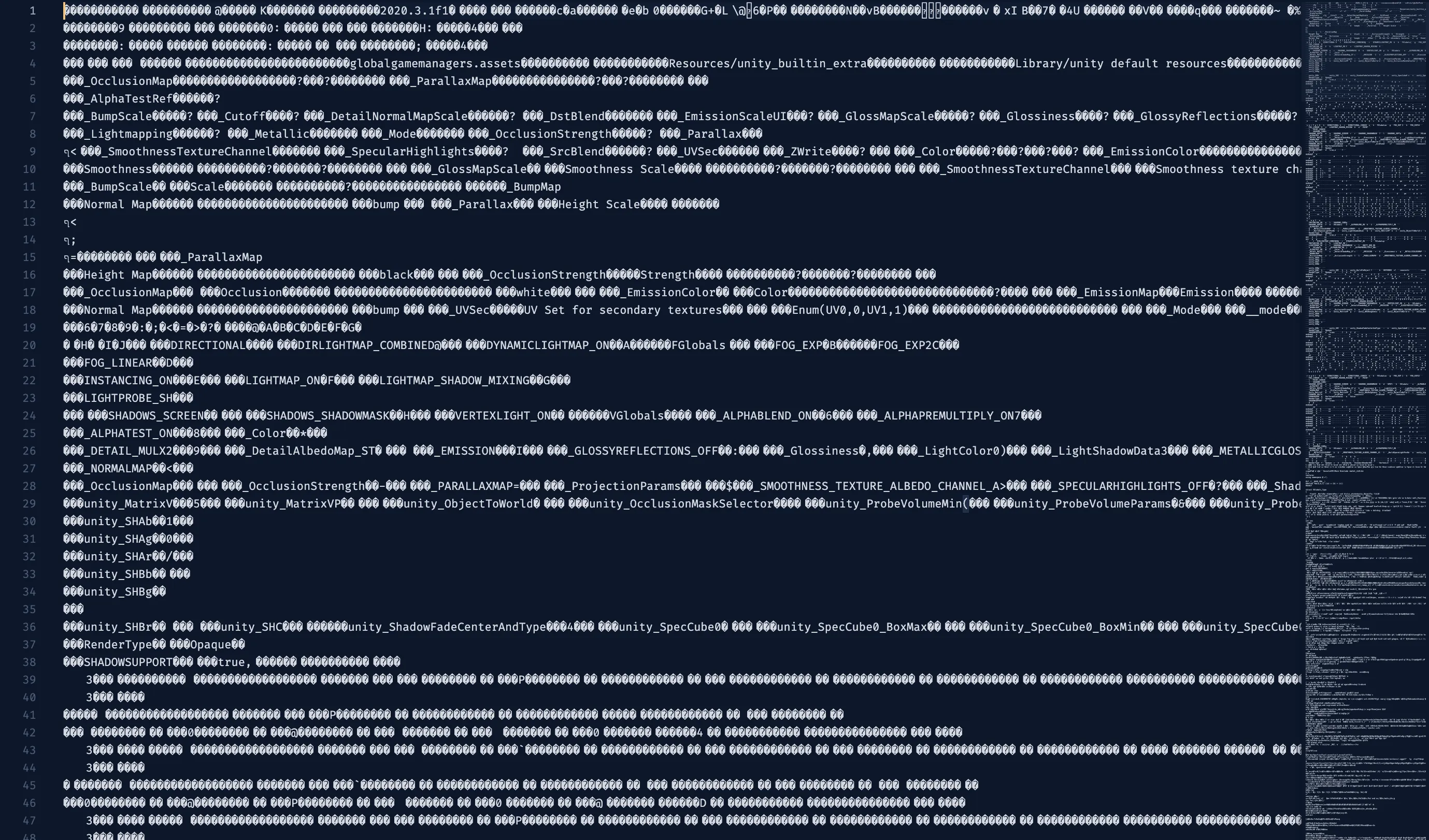
So you shouldn’t store any sensitive data in resources (or any data at all, for that matter). You might also end up with duplicates. For example, if an asset is both included in a scene and stored in resources, it’ll be serialized into resources.asset and included in the scene’s package.
Managing content in resources is also very cumbersome. If a file is moved, every Resources.Load() that loads this file needs to be updated with a new path. So I’ve seen some developers use an interesting trick. It’s possible to put only a single scriptable object in the resources folder, and make this object store references to the content that will be loaded at runtime. This way, there’s no need to keep assets neatly organized inside the folder, or to update the code every time that organization changes. Since all assets are stored as references in the scriptable object, the files can be moved around without any worry, as Unity takes care of updating the reference paths through .meta files. Of course, this approach has its own caveats, mainly that granularity has to be sacrificed. Instead of loading only the single asset we need at that very particular moment, we load a scriptable object that pulls a bunch of assets in with it. This problem could be alleviated by using several scriptable objects instead of one, with each storing references to the assets used in a similar context. However, this approach will never be as effective as loading a single asset. And this is not all. Even if there’s only one scriptable object in the resources folder, Unity will resolve all its dependencies during build time and still include everything into resources.asset. This means that all of the issues described above apply here too.
What are the alternatives?
The answer is, obviously, Asset Bundles. Of course, the trade-off is that they’re a bit trickier to set up and require more careful maintenance (although, this is arguable), but their advantages outweigh these disadvantages by a huge margin. First, asset bundles can be compressed, which reduces build sizes significantly. Second, while all resources are packaged into a single huge file, asset bundles can be broken down into parts, and those parts can be loaded separately. This is especially helpful when patching or updating content, since it allows you to patch only certain bundles instead of having to replace a giant package containing all assets. Also, asset bundles don’t have to be included with the build at all and can be loaded separately, whereas resources always have to ship with the build. This allows for much smaller ipa/apk file sizes. Asset Bundles provide more control over asset management and are more powerful and convenient to work with, compared to maintaining a particular folder structure and updating the paths by which assets are accessed in code each time that structure changes. There’re some runtime memory benefits as well.
Switching from resources to asset bundles took our team around 5 days. The result was totally worth it. We could ship our game with a ~280mb ipa. The development sped up significantly, not only because build times got much quicker, but also because asset bundle management tools worked much better with our workflow.
Are resources useless?
So why does this feature even exist in the first place? Well, there’re a few situations when using the resources folder is actually ok. The first is when you’ve only started learning Unity. Asset bundles can be quite difficult to figure out for beginners. The second is when you’re making a prototype, or want to try out a certain feature or gameplay mechanic quickly. It’s totally fine to use resources, or any other bad technique/anti-pattern, while experimenting. Just make sure to delete the resources folder and the code that relies on it once you’re done! The overall point is that resources should never be used in production.
Conclusion
And there you have it. Try to avoid using resources as much as possible. Dedicate some time to learning asset bundles. Setting them up might take more effort than just creating a resources folder, but in the end, the result will pay off manyfold.
Thank you very much for reading! ✌️
2021-10-05